T-money on Apple Wallet 2026: How to Refund the Balance?


Bottom line: Add a T-money card to Apple Wallet on your iPhone or Apple Watch and you can ride Seoul's subway and buses without a physical card. In the Wallet app, tap "Add Card," choose T-money, then either issue a new virtual card or register your existing physical one; top-ups go through a Hyundai Card linked to Apple Pay, or, since June 2026, through KakaoPay money or a linked bank account. Before you switch phones or delete the card, check your balance and request a refund first if you need one.
If you didn't know: Switching devices without deleting the card or cashing out first can make your balance disappear. One user posted on a Korean online forum that after switching iPhones, the old device's card data wouldn't transfer, and they couldn't recover roughly KRW 8,000 left on it. Factor in the standard KRW 500 refund fee that applies to ordinary T-money refunds, and money left unattended can add up to more than that.
Registration -- open Apple Wallet, tap Add Card, choose T-money, then issue a new card or register an existing physical one. Top-up methods -- a Hyundai Card linked to Apple Pay, or, since June 2026, KakaoPay money / a linked bank account. Refund fee -- KRW 500 under standard T-money rules (small balances are sometimes exempt). Refund path -- Mobile T-money app, full menu → Transit card → Refund request (there's no separately published refund procedure specific to Apple Wallet). Validity period -- not stated in the official source. Customer service -- T-money (Korea Smart Card Co., Ltd.), 1644-0088. Website -- t-money.co.kr. Launch -- available on iPhone and Apple Watch since July 22, 2025.
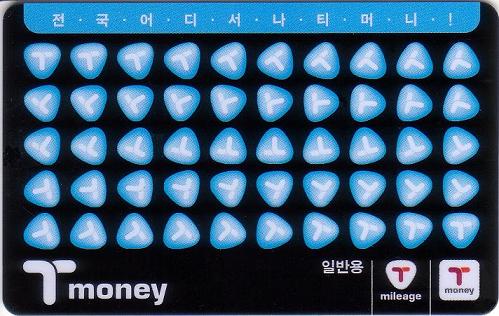
The Apple Wallet registration steps, the July 22, 2025 launch date and the Hyundai-Card-only top-up at launch come from news coverage at the time (Newsis, Newdaily and others); the addition of KakaoPay as a top-up method from June 2026 is also based on news reports. The standard KRW 500 T-money refund fee is confirmed consistently across Seoul city transit guidance and other sources, but whether it applies identically to balances in Apple Wallet, and the validity period of that balance, could not be confirmed on T-money (Korea Smart Card)'s official site, so those points are noted as not available in the official source. The case of a lost balance from switching devices without a refund is quoted directly from an online community post, not an official T-money statistic. This was checked as of 2026-11-17.
Journey stage: During the trip · Verified 2026-11-17

Read next
- 2026-11-23Ganghwa Island Day Trip from Seoul 2026: Bus Times, Museum Fees, and Last Bus Back
- 2026-11-23Incheon Airport Currency Exchange Hours 2026: Which Counters Stay Open 24/7
- 2026-11-23Yen to Won Exchange Rate Today (Nov 2026): Why Korea Isn't as Cheap for Japanese Travelers Anymore
- 2026-11-22Gongju Day Trip 2026: KTX vs. Bus Fares and the Walk from Jemincheon to the Geumgang
- 2026-11-22Euljiro Nogari Alley: Price of Dried Pollock, Pay by Card?
- 2026-11-22Olive Young Dec 2026 sale: how much can refund save?